Greg on Fox News

GregOnFox

On “Neal Cavuto’s April 21, 2005 Common Sense segment, he said the following:

Here’s a newsflash: The pope is Catholic.

I say that because so many seem to forget that — seemingly demanding Pope Benedict XVI be something he is not.

Well, here’s another news update: He will never be for abortion. He will never be for euthanasia. And if you ever say the Catholic Church should be a democracy, he will never say it is. Because it isn’t.

Most Catholics know that. A lot of Catholics hate that. But I think we’d all be wise to get over that. Because of this: The pope is here to espouse not the whims of our times, but the values that stand the test of time.

Some can quibble over whether priests should marry or laypeople should be more involved. The church evolves on such matters.

But on basic matters — matters of life and death, right and wrong — there are no ifs, ands or buts.

On these matters, any pope — including this pope — stands firm. As so he should.

Well, Cathy had found an interesting site she pointed out to me – The Cardinal Ratzinger Fan Club. From that site, she found a quote and mentioned it to me. I emailed that quote to Neal Cavuto and it ended up on the show. If you missed my 7.8 seconds of fame on Fox News, you can view the video here:

Clean out Windows XP’s Prefetch folder to speed up boot times

Source: TechRepublic

by Greg Shultz

Takeaway:

Windows XP’s Prefetch folder stores information about each program you launch; then, on subsequent restarts, XP uses the information in the folder to preload parts of those programs at boot time. Find out why you need to clean out the Prefetch folder periodically to keep boot times from dragging.

One of Microsoft’s big selling points for Windows XP was that it loads applications much faster than its predecessors. To accomplish this feat, Windows XP uses what is called the “Prefetch technique,” in which the operating system gathers information about each program that you launch and stores that information in the \Windows\Prefetch folder. Then on subsequent restarts, Windows XP uses the information in the Prefetch folder to essentially preload parts of those programs at boot time. Thus, when you launch your application, it appears to load really fast.

However, the Prefetch folder can accumulate too much information over time. This makes the operating system so busy loading bits and pieces of lots of applications into memory that it ends up slowing down the boot process. Fortunately, you can clean out the Prefetch folder at any time. Follow these four steps:

  1. Access the Run dialog box by pressing [Windows]R.
  2. Type Prefetch in the Open text box and click OK.
  3. Press [Ctrl]A to select all the files.
  4. Press [Delete].

As you use your system, Windows XP will rebuild the contents of the Prefetch folder.

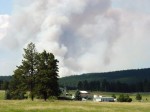
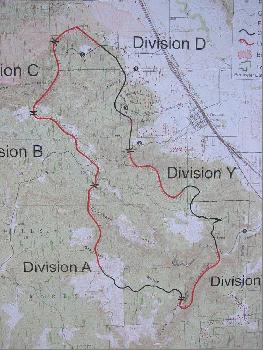
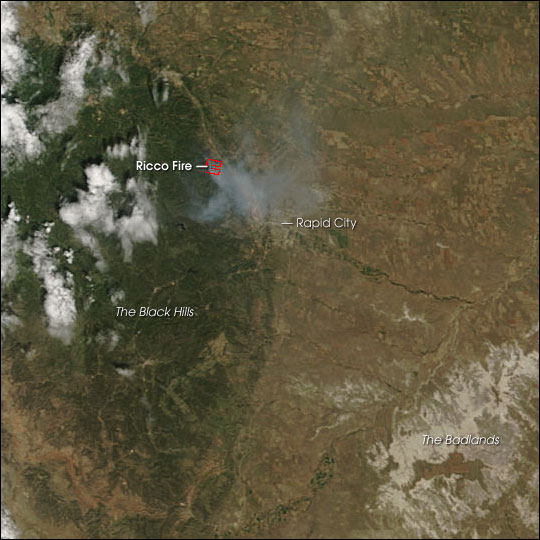
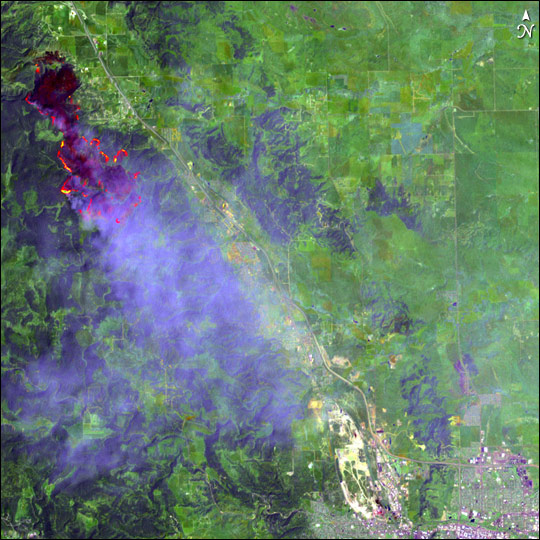
Ricco Fire

Map

Map20050711

Photos

US Forest Service
USFS001t USFS002t USFS003t

Photos by Bob and Greg

Other sites with information

BlackHills.TMOA2005191

ricco_l7_10jul05

A site for myself, family, friends, and anyone else that wants to visit