
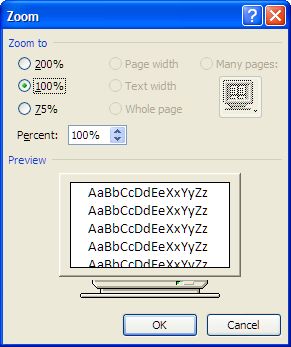
On my work computer, when composing an email in Outlook, suddenly the font size displayed larger than normal. I had this problem one other time, but couldn’t recall how to fix it. The fix is pretty simply.
In Outlook 2007, while composing a new email
Click on Format Text

Then Zoom

Then set the size to 100%.
Mine ended up on 200% – not sure how. So I reset it back to 100% and things are back to normal.
And now that I have added it here, when it happens again, maybe I’ll remember how to fix it.
You must be logged in to post a comment.